We Review the Best Content Repurposing Software to Boost Reach in 2026
Tools for Creators
Quick Summary
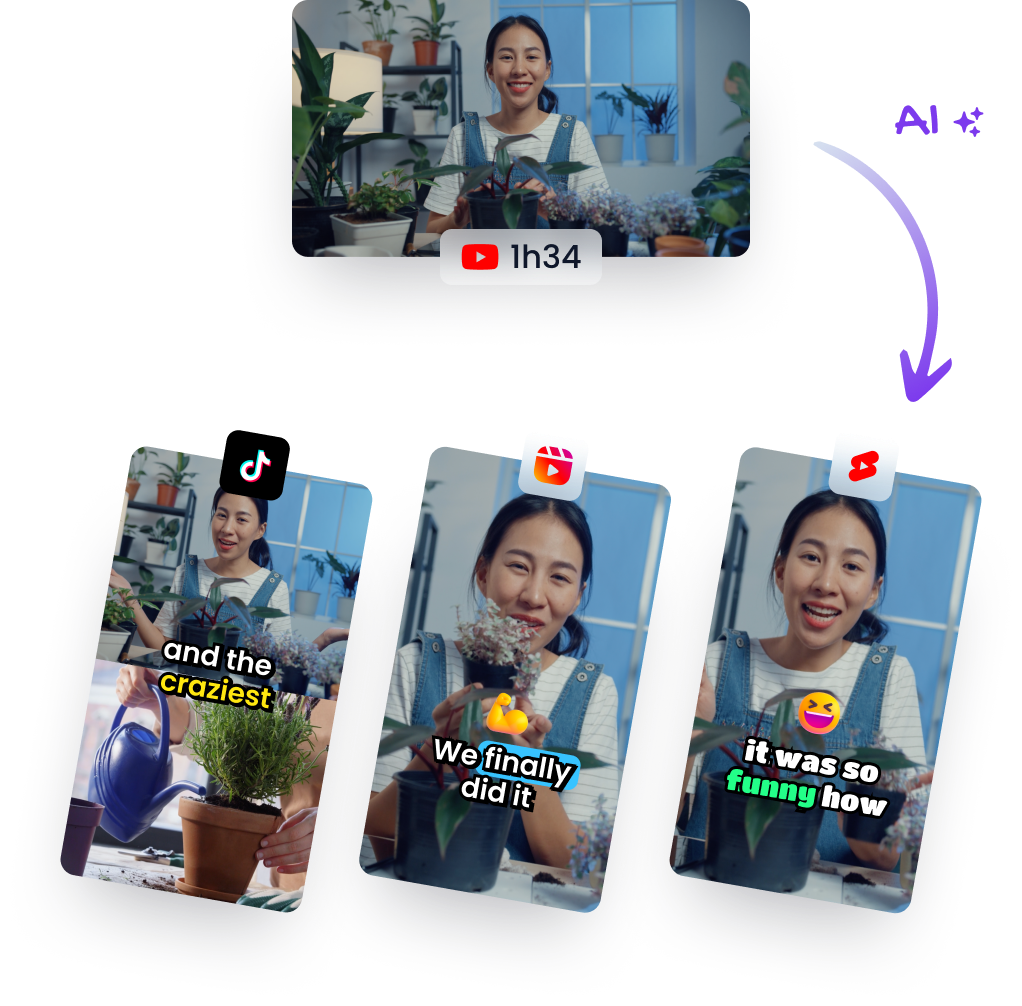
Repurposing your content is a game changer for extending its life and reaching a larger audience. In this article, we’ve reviewed top content repurposing tools. These tools help creators turn videos, blogs, and audio into engaging formats optimized for social media and other platforms. Visit the Klap blog to learn more about repurposing long-form videos into shorts.
Struggling to Maximize Your Content's Potential?
Creating great content is only half the battle. The real challenge lies in reaching the right audience across multiple platforms without doubling your workload. With the right content repurposing platforms, you can transform your content into a powerhouse of engagement and visibility.
In this Klap article, we’re going to review the best content repurposing software designed to help you turn videos, blogs, and audio into shareable formats that expand your reach.
But first…
Why Listen to Us?
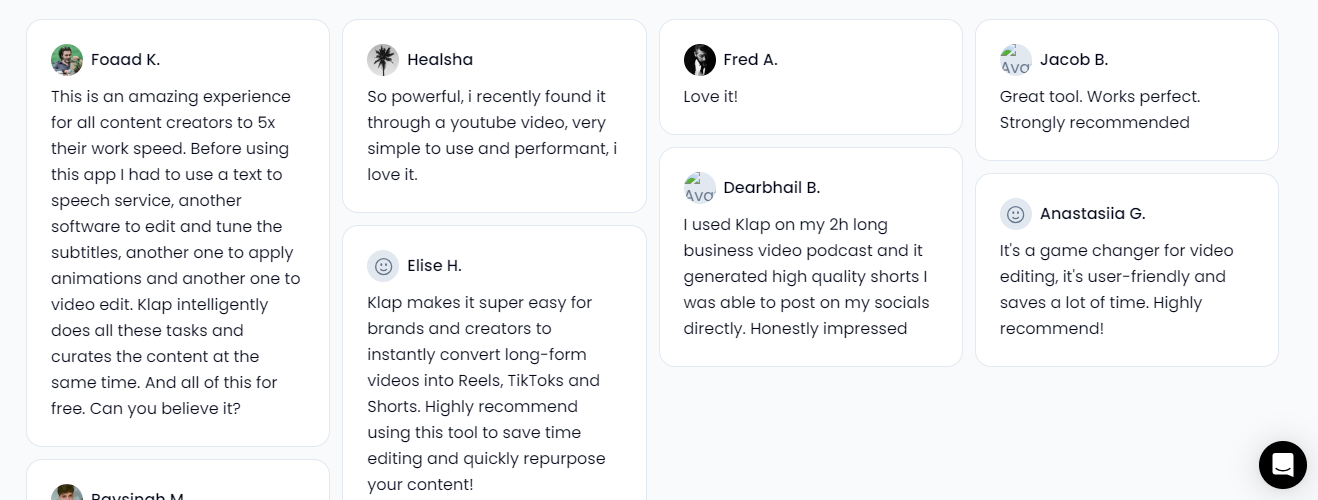
At Klap, we specialize in transforming long-form videos into viral, shareable shorts. Trusted by over 800,000 creators, businesses, and media companies, our AI-powered tools simplify content repurposing, making it seamless and effective. With expertise in video marketing and a product that delivers results, we know what it takes to make repurposing effortless and impactful.
What is Content Repurposing Software?
Content repurposing software helps creators, marketers, and businesses maximize their content’s potential by transforming it into different formats optimized for various platforms. Instead of creating content from scratch each time, these tools let you adapt a single piece; like a blog post, video, or podcast, into multiple shareable assets, such as:
- Short-form videos: Turn long YouTube videos into, Instagram Reels, Tiktok or YouTube Shorts.
- Social media posts: Transform blog highlights into engaging posts or carousels.
- Infographics and presentations: Reimagine your data or text into visually appealing formats.
These content repurposing tools often leverage automation and AI to save time, maintain consistency, and ensure your content is tailored for specific audiences across different channels.
Why is Content Repurposing Software Important?
- Maximizes Content Value: Repurposing allows you to take a single piece of content and adapt it into multiple formats, such as videos, social media posts, and infographics, to reach a wider audience.
- Saves Time and Resources: Rather than creating fresh content from scratch every time, repurposing software automates the process of transforming long-form content into short, shareable clips, saving you hours of work.
- Ensures Consistency Across Platforms: Different content repurposing platforms have unique requirements, and the right content repurposing tools help ensure your content is tailored to each platform’s format, maintaining consistency and boosting engagement.
- Boosts Engagement and SEO: Repurposing content helps increase visibility on multiple channels, enhancing engagement and improving your SEO by driving more traffic to your brand.
- Works Smarter, Not Harder: By automating the repurposing process, you can focus on what matters most; creating great content, while the software takes care of distribution across platforms.
- Expands Your Reach: Content repurposing platforms like Klap help you get more mileage out of your content, reaching different audiences and increasing the chances of virality.
Our Top 9 Content Repurposing Software of 2026
Below are the software we’ll cover:
- Klap: Best for transforming long-form videos into shorts
- Designrr: Great for repurposing different content into eBooks
- Canva: Best for repurposing text into visual content
- Repurpose.io: Best for automating content repurposing across platforms
- Kajabi Creator Studio: Best all-in-one repurposing software
- Lumen5: Best for transforming blog posts into videos
- Quso.ai: Best for AI short-form video clipping and social content automation
- Pictory: Best for turning scripts and long-form content into videos
- Wavve: Best for turning audio or podcasts into social video clips
1. Klap
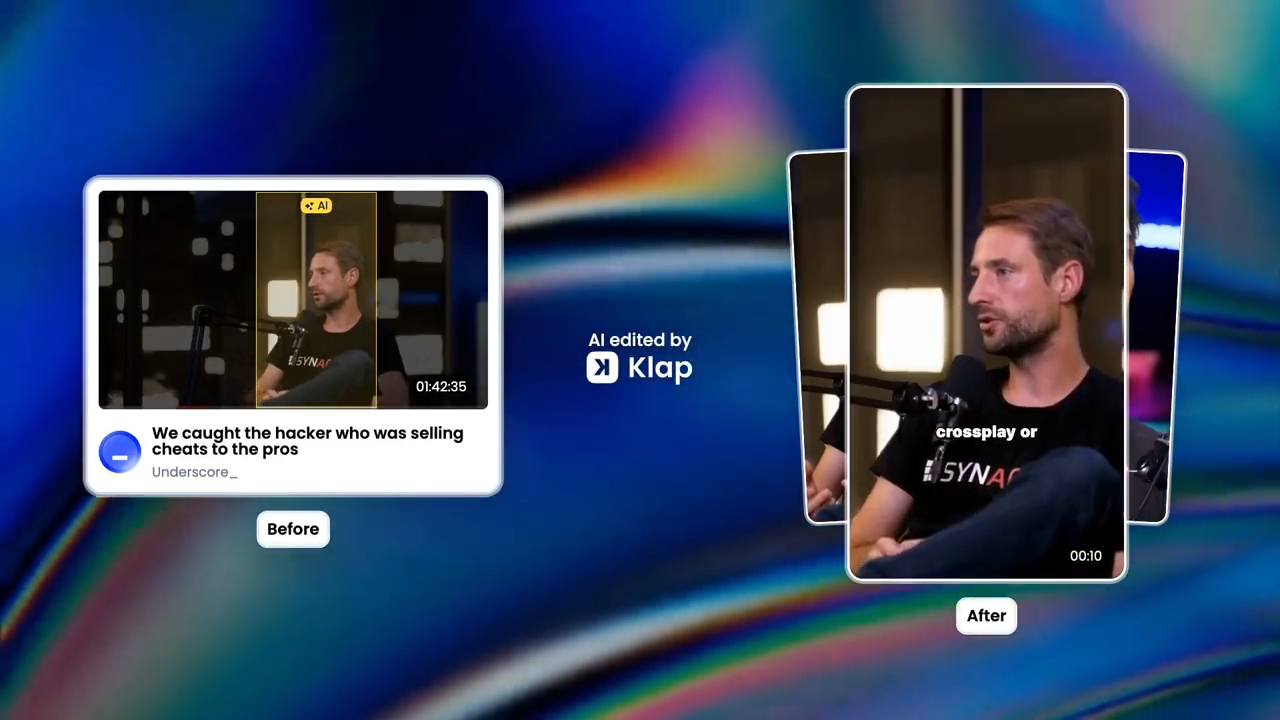
Klap is an AI-powered video editor that revolutionizes content repurposing. Designed to convert long-form videos; such as podcasts, webinars, and interviews, into engaging, shareable short clips, Klap helps creators streamline their video strategy for platforms like TikTok, Instagram, and YouTube.
Key Features
- AI Editing: Automatically identifies and extracts the most engaging moments from your long-form videos, creating short clips that resonate with audiences.
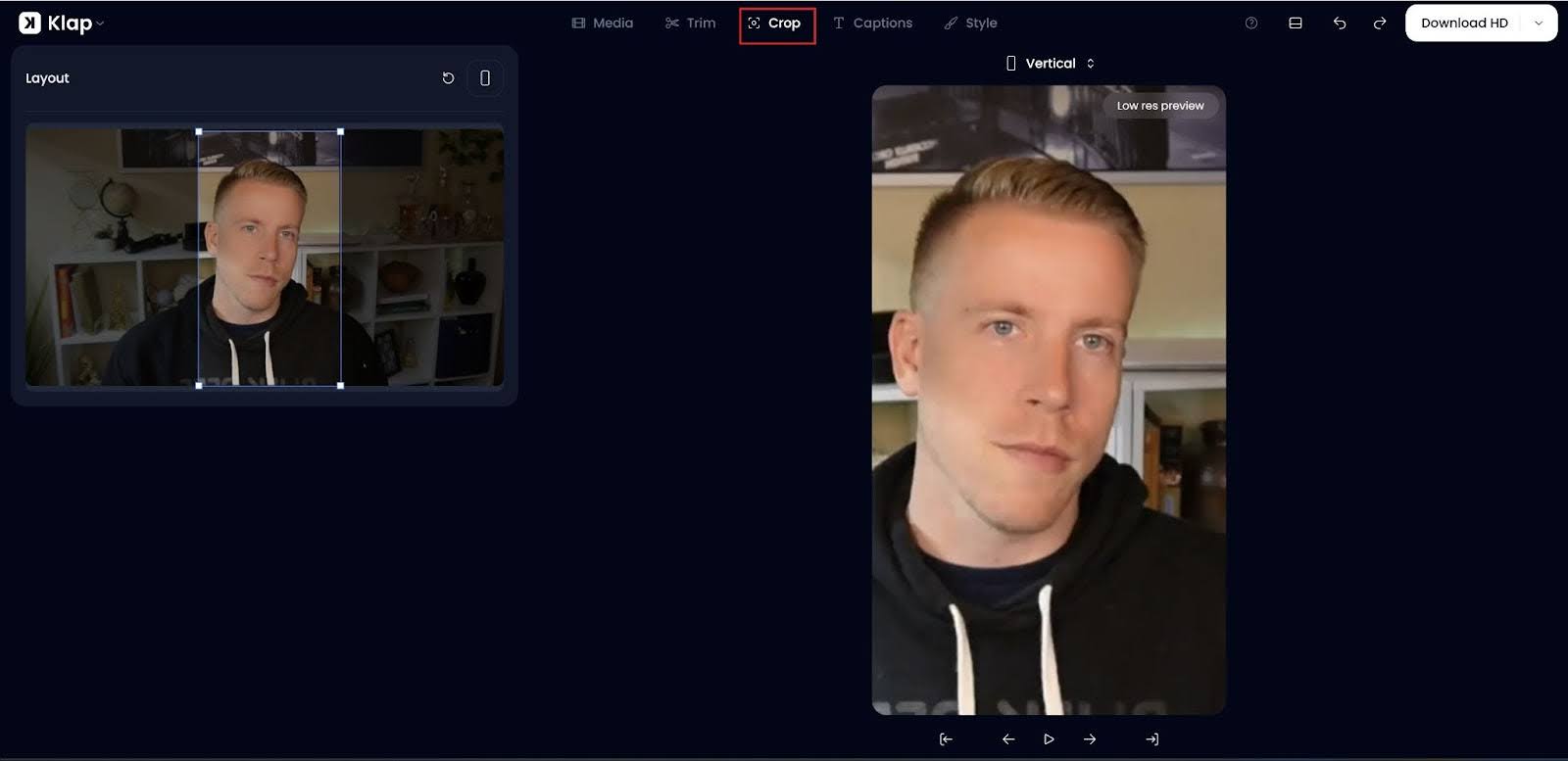
- Auto Reframing: Auto Reframing adjusts the framing to ensure the primary subject remains in focus, optimizing content for vertical, square, or landscape formats.
- Engaging Captions: Automatically generates dynamic and customizable subtitles to boost viewer retention and improve accessibility.
- Multi-Language Support: Edits and transcribes videos in 52 languages, making it accessible to a global audience.
- Customization and Scheduling: Fully customizable clips with options for fonts, colors, and logos, plus built-in scheduling tools to streamline posting across social media platforms.
Pricing
- Free Plan: One video to try out the platform
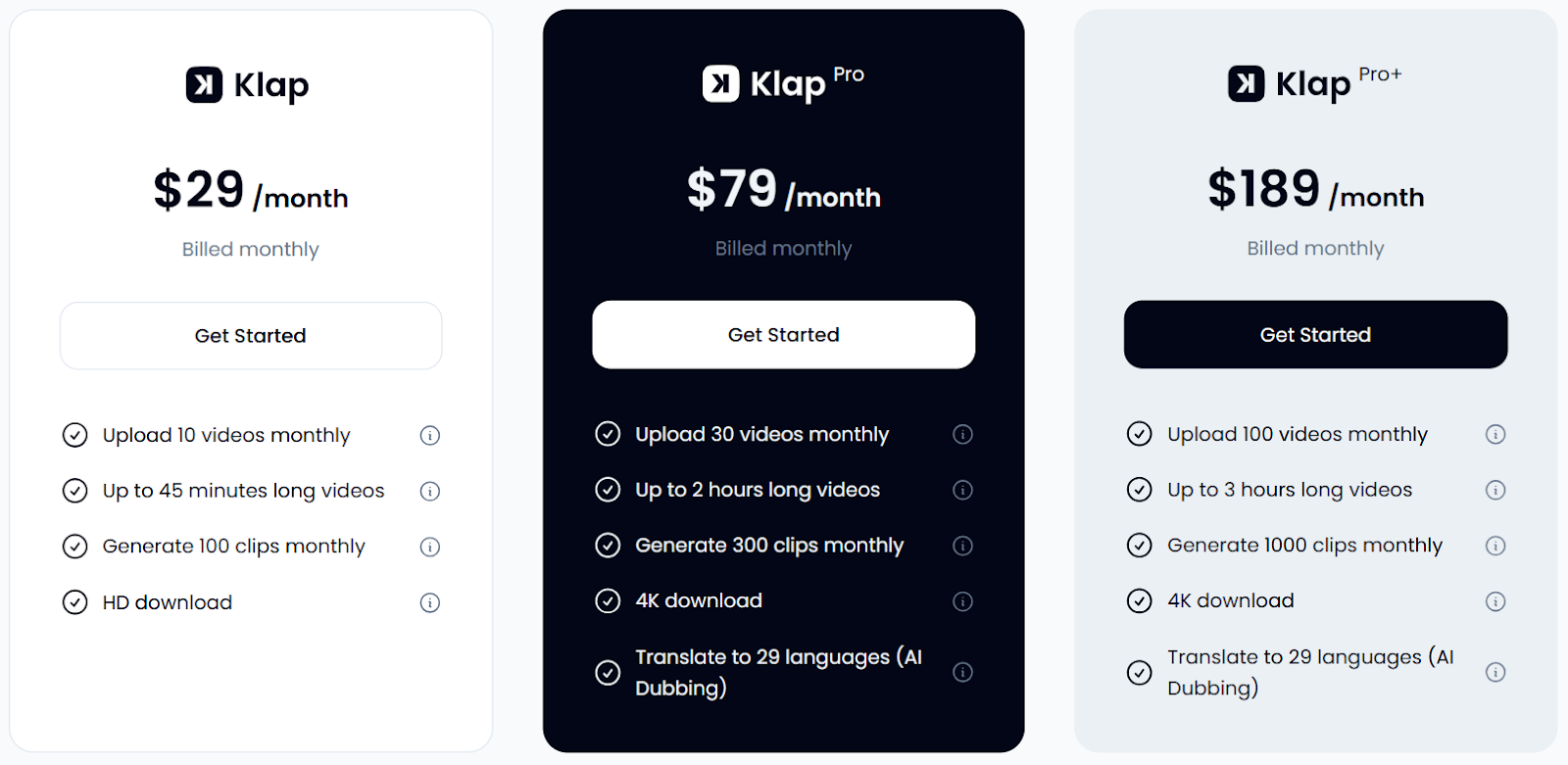
- Basic ($29/month): for up to 10 videos and 100 clips monthly
- Pro ($79/month): for 30 videos and 300 clips monthly, with 4K downloads,
- Pro+ ($189/month): for 100 videos and 1,000 clips monthly
Pros
- Simplifies short-form video editing, saving time and effort
- Efficiently converts long videos into short, viral clips
- Includes AI-driven dynamic captions and intelligent reframing
- Offers a scheduling feature for posting on social media
- Supports multiple languages, broadening user reach
Cons
- 4K download is not available on the Basic Plan
2. Designrr
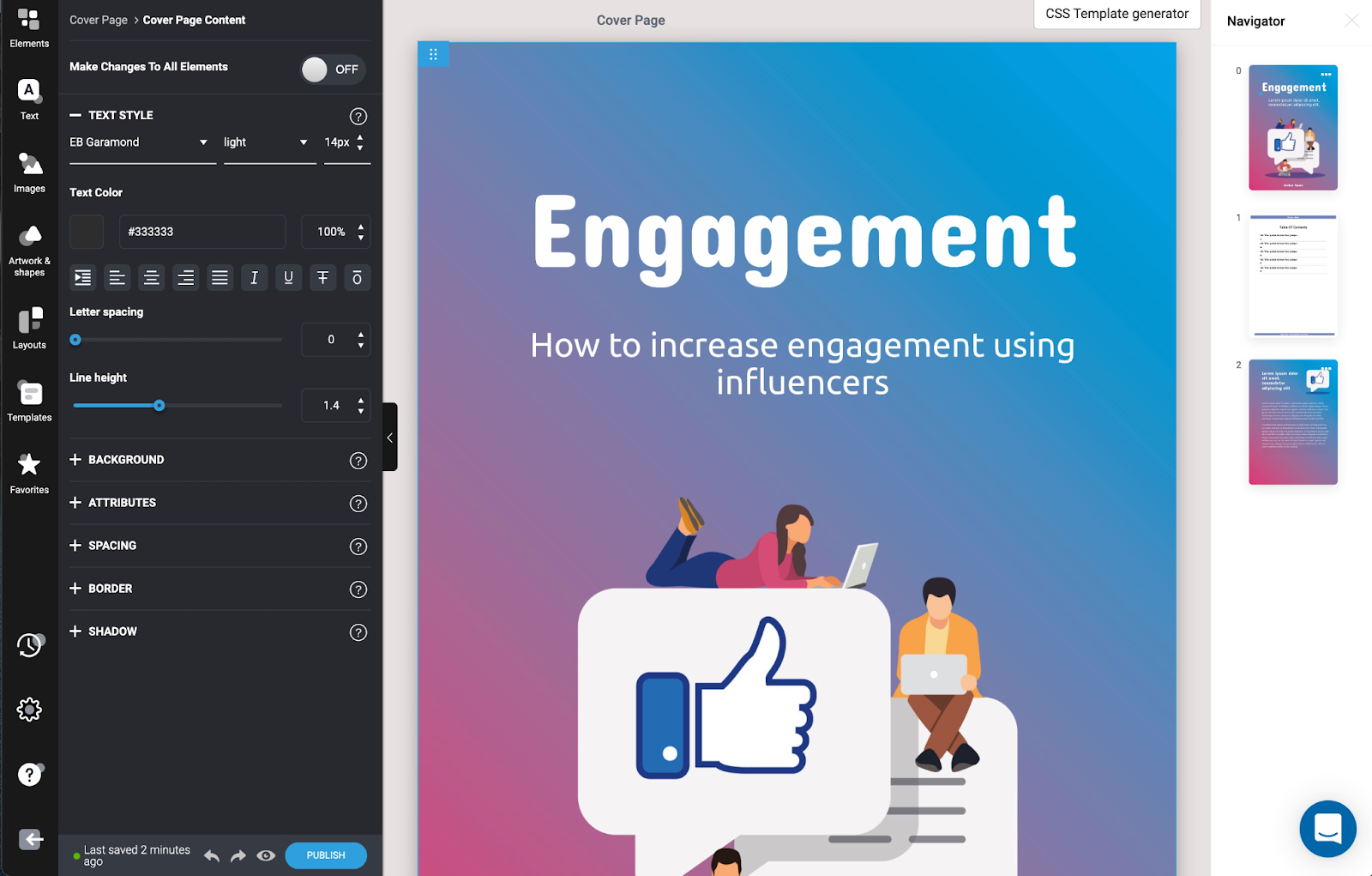
Designrr is an eBook creation software that transforms existing content like blog posts, videos, and podcasts into lead magnets, eBooks, PDFs, and more. It streamlines content repurposing, helping marketers, coaches, and content creators increase authority, traffic, and leads.
Key Features
- Content Repurposing: Effortlessly transform blog posts, videos, podcasts, and PDFs into eBooks, PDFs, flipbooks, and more.
- AI Transcription & Editing: Automatically transcribe audio and video files into text and edit transcripts with ease.
- Multiple Export Options: Export your finished content in various formats like PDF, Kindle (Mobi), ePub, and HTML for seamless distribution.
- Customization: Full control over design with unlimited styling options, modify fonts, add images, create dynamic covers, and adjust headers and footers.
- Easy Integration: Import content directly from platforms like YouTube, Google Docs, and WordPress with just a URL or file upload, making the process quick and simple.
Pricing
- 7 Day Free Trial Available
- Paid plan starts at $29/month for 1 user, 100 project templates and unlimited eBooks.
Pros
- Easy to transform blog posts, Word documents, and videos into eBooks and PDFs
- Customizable design with no mandatory templates
- Cloud-based platform, no installation required
- Fast and efficient content conversion (from blog, video, PDF, etc.)
- Simplifies the creation of lead magnets and marketing materials
Cons
- Occasionally experiences design errors during imports
- Customization is limited for more unique designs
- Minor issues with multi-item usage and UI experience
3. Canva
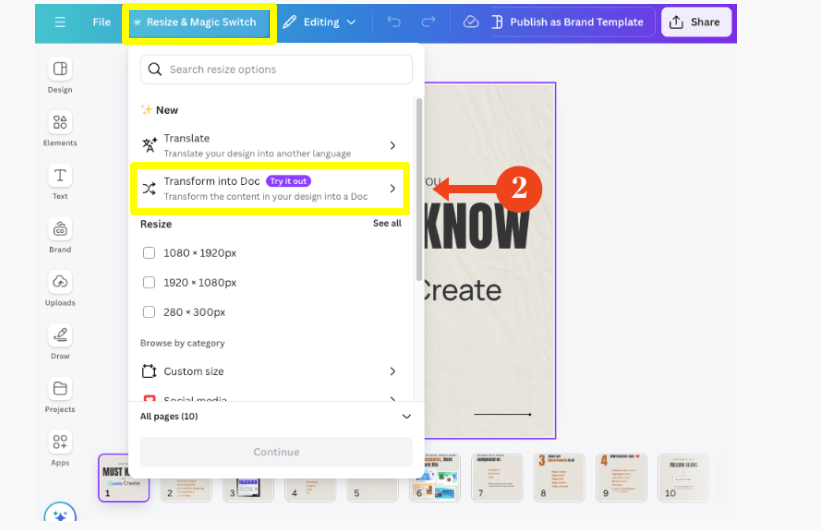
Canva is a versatile design tool that excels in content repurposing, allowing users to easily transform existing materials; such as blog posts, social media content, and videos, into various formats. With features like Magic Switch, Canva streamlines the process, ensuring designs stay consistent and optimized for multiple platforms, saving valuable time.
Key Features
- Magic Switch: Automatically resizes and transforms designs into multiple formats, such as blog posts, presentations, and social media graphics.
- Template Library: Offers a vast collection of customizable templates for infographics, social media posts, and presentations to streamline the design process.
- Multi-Channel Optimization: Facilitates the adaptation of content for various platforms, ensuring designs are optimized for specific channel requirements.
- Collaboration Tools: Enables team members to work together seamlessly on projects, making it easy to share and edit designs in real-time.
- User-Friendly Interface: Intuitive drag-and-drop functionality allows users of all skill levels to create professional-quality content quickly.
Pricing
- Canva Free Plan: includes basic tools and templates, and limited access to premium features.
- Paid plan starts at $15 per month (or $120 per year), includes full access to premium features, additional templates, and brand management tools.
Pros
- User-friendly with drag-and-drop interface for easy design creation
- Wide variety of customizable templates for social media and presentations
- Versatile design tool that works across devices (phone and laptop)
- Offers cloud storage for on-the-go access and project saving
- Affordable with a robust free version for beginners
Cons
- Limited options for downloading files in various formats on the free plan
- Slower performance on bigger projects, with occasional glitches
- Limited to manual carousel post scheduling, no direct scheduling within Canva
4. Repurpose.io
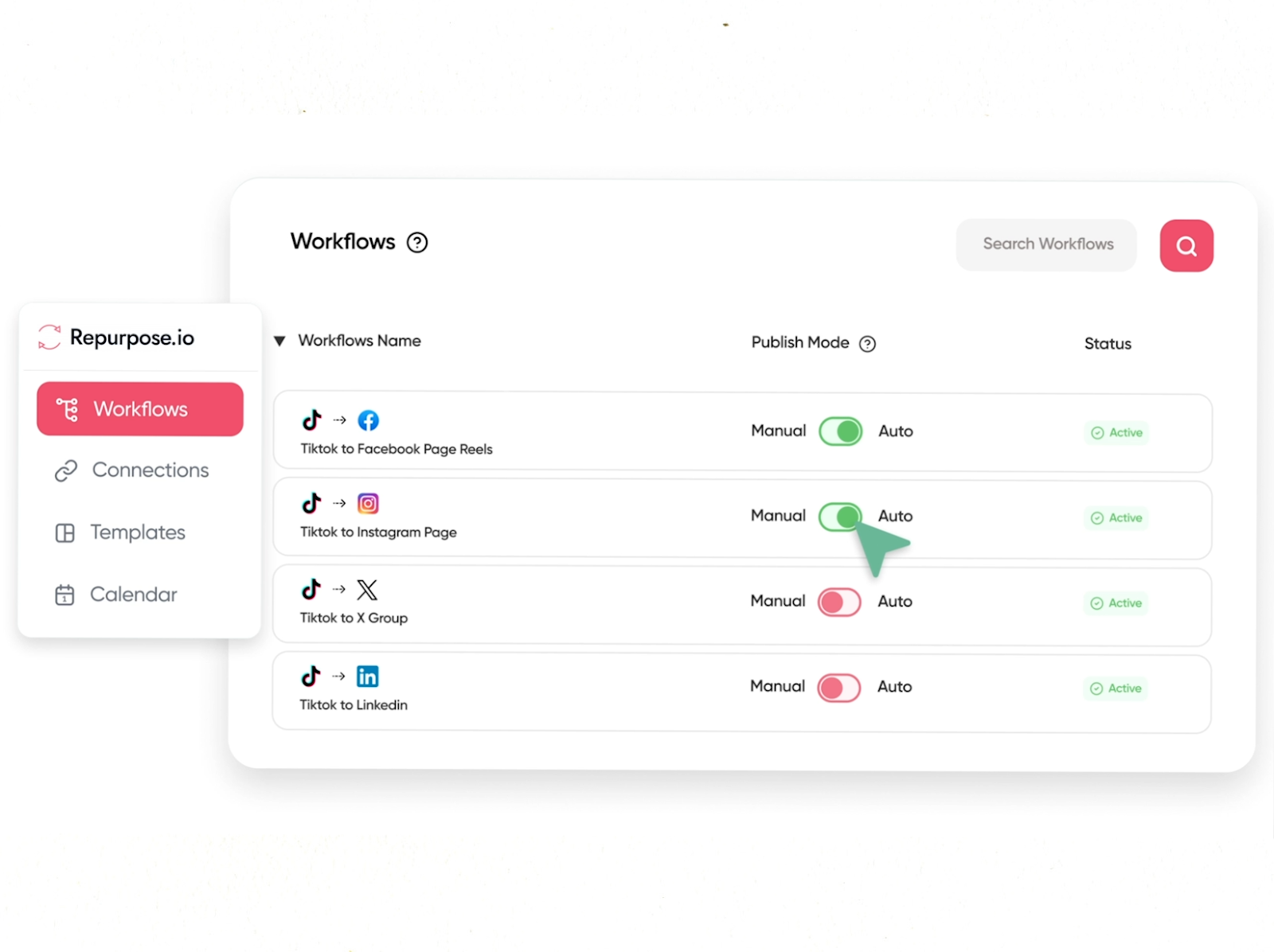
Repurpose.io automates the process of repurposing and distributing content across multiple platforms with just one click. It helps creators save time and streamline their content strategy by turning long-form videos and podcasts into unlimited pieces of content optimized for every social media channel. For those exploring a Repurpose.io alternative, several tools can create shareable content formatted for different platforms.
Key Features
- Automated Repurposing: Turn videos and audio into multiple optimized pieces for social media platforms like YouTube, TikTok, Instagram, and more.
- Multi-Platform Support: Supports connections with TikTok, YouTube, Facebook, Instagram, LinkedIn, and more.
- Scheduling: Enables planning and queuing of posts to maintain consistent audience engagement.
- Template-Based System: Easily set up a system to publish or schedule content based on pre-defined templates, ensuring consistency across your social media presence.
- Easy Integration: Connect your existing platforms (Zoom, TikTok, Google Drive, etc.) for a seamless content workflow.
Pricing
- Free Plan: Can up to 10 videos
- Paid plan starts at $35/month for 5 of each social media channel and unlimited published videos.
Pros
- Automates content repurposing across multiple platforms
- Saves time by eliminating manual uploading and editing tasks
- User-friendly setup with templates for easy automation
- Excellent customer support, including live calls for personalized help
- Supports multiple platforms for seamless content distribution
Cons
- Occasional technical glitches, such as disconnections between social media accounts
- Limited control over video quality on some platforms (e.g., resizing issues)
5. Kajabi Creator Studio
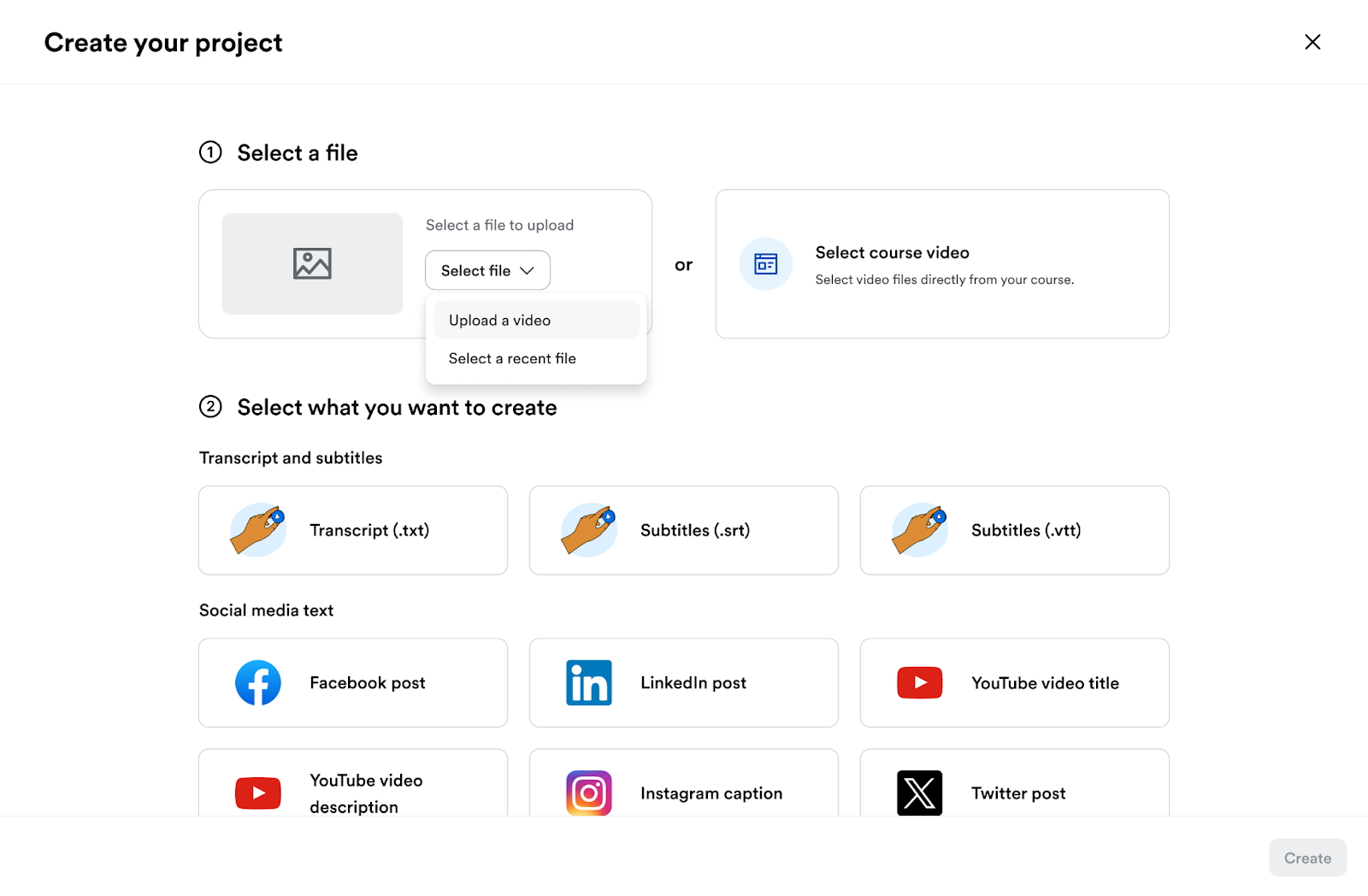
Kajabi Creator Studio is an all-in-one content repurposing tool that leverages AI to transform video content into over 40 types of marketing materials. It helps creators save time and grow their audience with minimal effort.
Key Features
- 40+ Types of Content: Repurpose any video into social media posts, blog articles, email sequences, mini-courses, and more to fuel your marketing funnel.
- Built-in Adobe Express: Edit videos seamlessly with a powerful suite of tools and templates, no design expertise needed.
- Mini-Courses & Digital Products: Easily create and sell mini-courses using existing video content, helping you test market demand without additional video creation.
- Automated Publishing: Publish content across multiple platforms, including social media, blogs, and landing pages, without manual intervention.
- Analytics Dashboard: Track engagement, view counts, and audience behavior across all your content in one centralized dashboard for data-driven decisions.
Pricing
- Kajabi’s paid plan starts at $69/month and includes all the creator studio functionality.
Pros
- Transforms videos into 40+ content types for marketing funnels
- Built-in Adobe Express for easy, no-experience editing
- Automates content creation across multiple platforms
- Saves 20+ hours/month by reducing time spent on marketing tasks
- Includes video, email, blog, and social media content repurposing
Cons
- Limited video storage and export options on lower plans
- Primarily geared toward Kajabi users (integration with other platforms is limited)
6. Lumen5
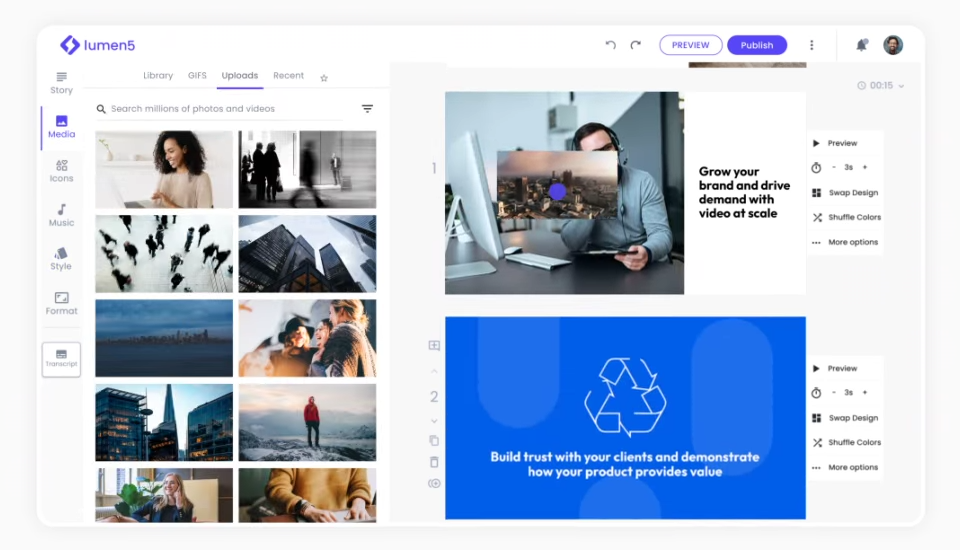
Lumen5 is an AI-powered video creation platform that converts written content like blog posts, articles, and PDFs into engaging videos in minutes, helping creators repurpose their text-based content effortlessly.
Key Features
- AI Script Composer: Generates multiple video scripts from written content for easy repurposing.
- Automatic Content Extraction: Pulls text and images from URLs or allows manual input for content.
- Video Customization: Customize background, text, graphics, and aspect ratios for different platforms.
- AI Voiceovers: Choose from 40+ voices to add professional voice narration in multiple languages.
- Talking Head: Add personalized speaker videos with callouts and cutaways to engage your audience.
Pricing
- Free plan gives you 2-minute-long videos, up to five videos a month, all videos are watermarked.
- Paid plan starts at $29/month and includes advanced AI script composer features, longer AI voiceover videos and more voices.
Pros
- Quickly converts blog posts and articles into engaging videos
- Easy-to-use interface, ideal for beginners and new users
- Large library of royalty-free stock images, videos, and music
- Customizable video templates for different social media platforms
- Excellent customer support and client service
Cons
- Limited editing options for individual frames
- Rendering videos can take a significant amount of time
- Some automated content extraction may not capture the most relevant parts
7. Quso.ai
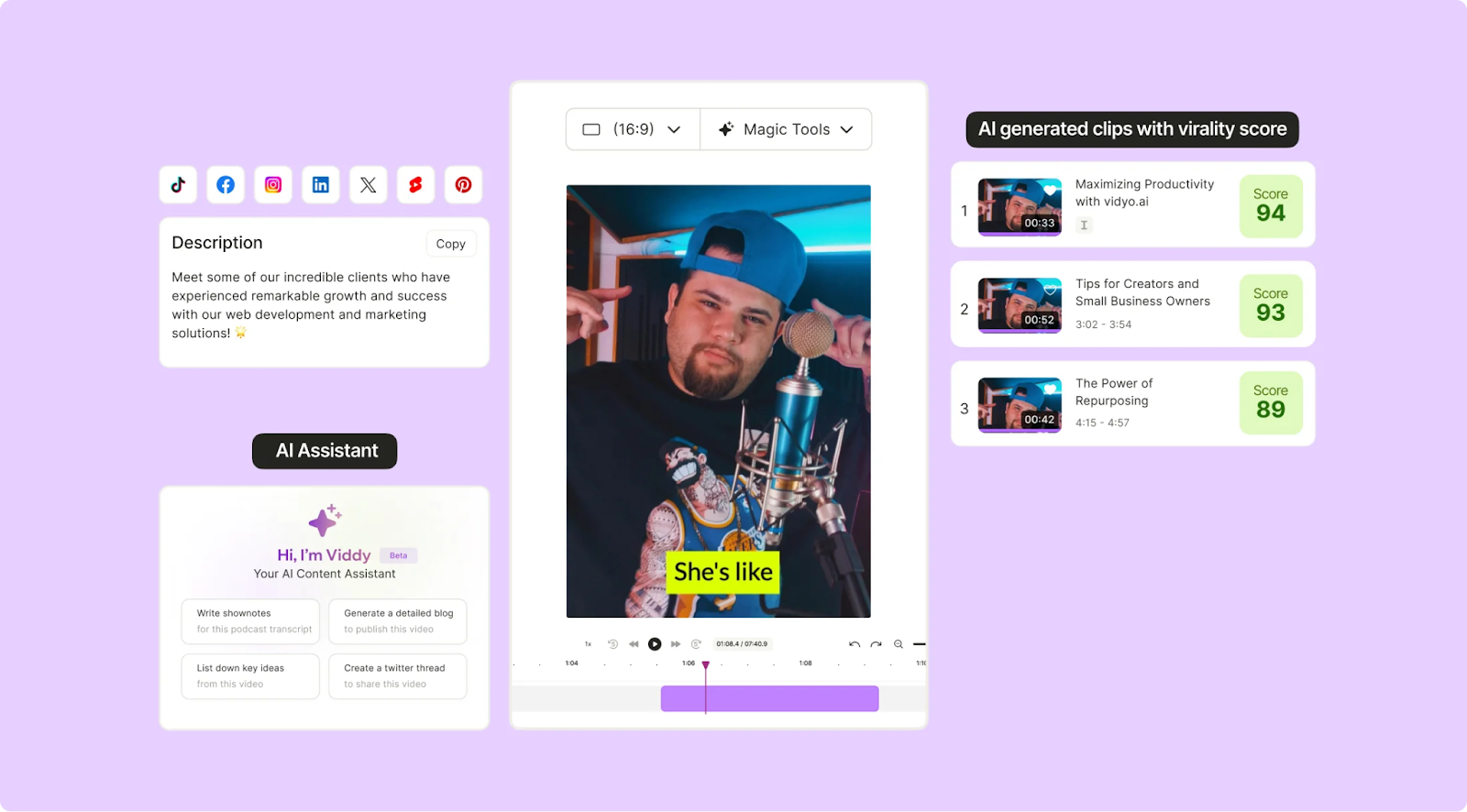
Quso.ai is an AI-powered video repurposing and social media management platform that converts long-form videos into short clips optimized for social platforms. It helps creators and brands turn webinars, podcasts, and YouTube videos into shareable short-form content.
Key Features
- AI Highlight Detection & Clip Generation: Automatically analyzes long videos and extracts engaging moments into short clips.
- Auto Captions & Subtitles: Generates captions automatically and supports text customization.
- Multi‑Platform Exports: Formats clips to fit platform requirements (vertical, square, landscape), which can be exported/downloaded.
- Additional AI Tools: Includes features like AI content planning, AI writing tools, and automated repurposing as part of its broader suite.
- Customizable Branding: Add logos, intro/outro elements, and brand colors automatically to your video outputs, ensuring consistent visual identity across all repurposed content.
Pricing
The pricing structure for Quso.ai is as follows:
- Free Plan
- Lite Plan: $24/month
- Essential Plan: $32/month
- Growth Plan: $40/month
All plans are billed monthly, and can also be paid annually to save costs.
Pros
- Quick turnaround from long videos to short clips
- Built-in caption generation that automatically adds subtitles
- Optimized for vertical and square video formats
- Simple, beginner-friendly interface
- Supports publishing formats for multiple short-form platforms
Cons
- Some manual editing may still be needed to fine-tune clips
- Branding and customization options are basic compared with full editors
8. Pictory
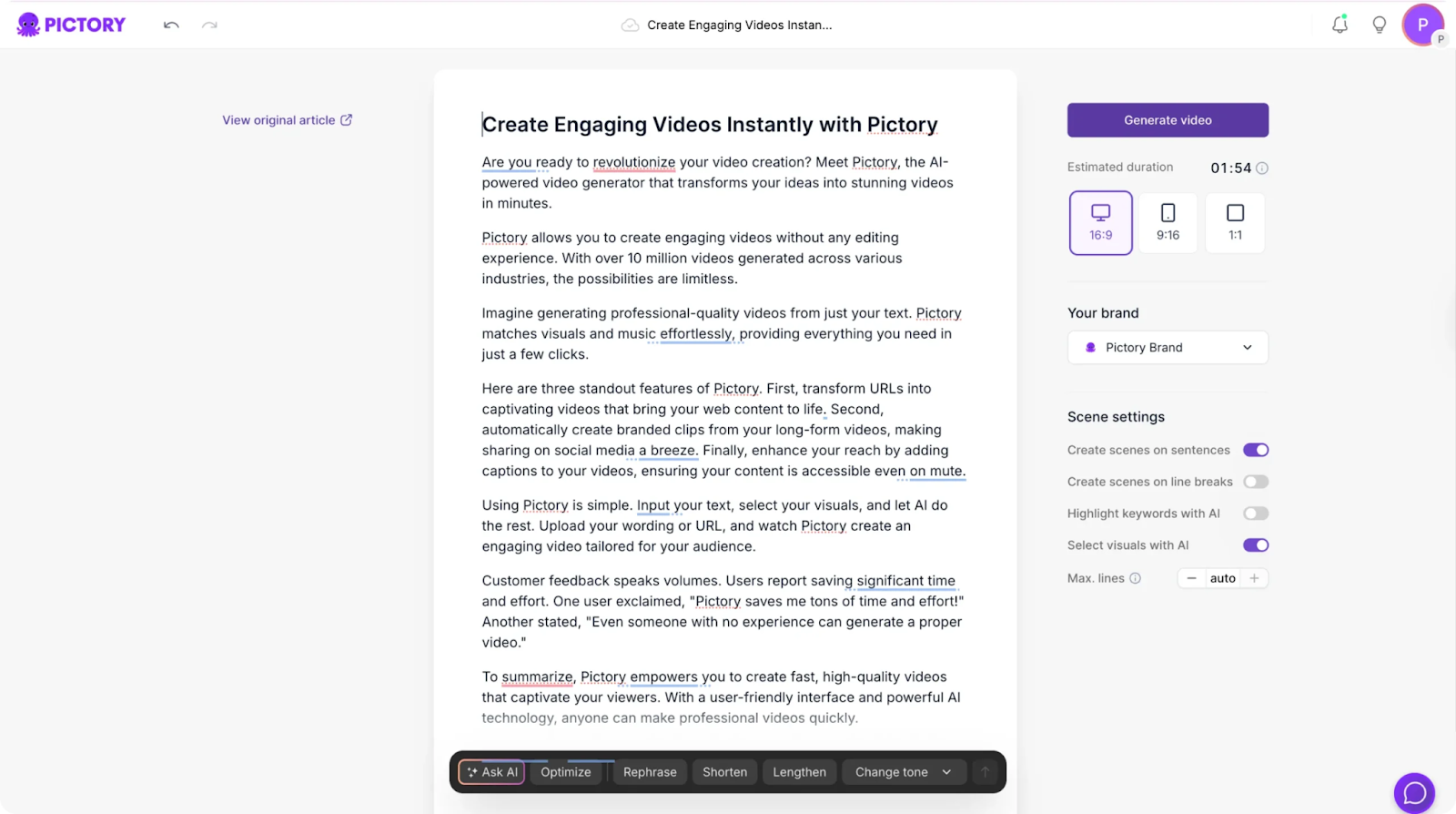
Pictory is an AI-powered video creation and repurposing tool that transforms long-form videos, webinars, podcasts, and blog posts into branded video content. It supports both video-to-video and text-to-video workflows, helping marketers turn written or recorded material into engaging, shareable videos.
Key Features
- Script-to-Video Creation: Turn blog posts, scripts, or articles into fully produced videos using AI-selected visuals, transitions, and voiceovers.
- Long-Form Video Highlights: Upload webinars or podcasts and automatically extract shorter highlight clips for social sharing.
- Automatic Captioning: Generate and edit subtitles to improve accessibility and viewer retention across platforms.
- Branded Video Templates: Customize fonts, colors, and logos to create consistent, brand-aligned video content.
- Visual Storyboarding: Automatically selects relevant stock footage, images, and transitions to build a visual narrative that aligns with your script or uploaded text.
Pricing
Pictory offers tiered monthly subscription plans (all billed annually with free trials available):
- Starter Plan –$29 per month
- Professional Plan – $59 per month
- Team Plan – $199 per month
- Enterprise Plan – Custom pricing
Pros
- Doesn’t require complex editing skills
- Strong automation reduces the need for manual editing
- Automates video creation from multiple media sources
- Offers voiceover options for creators who prefer not to record audio
- Supports multiple workflows
Cons
- Limited control over precise scene-by-scene customization
- Template-based structure can feel restrictive for advanced creators
9. Wavve
Wavve converts audio and podcast content into shareable social media clips. It helps creators, marketers, and podcasters turn long audio into bite-sized, branded videos for platforms like Instagram, YouTube, and Twitter.
Key Features
- Audio to Video Conversion: Turn audio clips into engaging videos with dynamic waveforms, captions, and branded visuals.
- Customizable Templates: Choose from a variety of customizable templates for different social media platforms.
- Waveform Animations: Adds unique animated waveforms to your audio clips to make them visually engaging and shareable.
- Captioning & Text Overlays: Automatically generate captions and add text overlays to your videos.
- Multi‑Platform Exporting: Export videos in different sizes and formats for platforms like YouTube, Instagram, Facebook, and Twitter.
Pricing
Wavve offers tiered monthly subscription plans (billed monthly with free trials available):
- Starter Plan – $7.99/month
- Pro Plan – $19.99/month
- Agency Plan – $98.99/month
Pros
- Increases audience engagement through visual elements
- Simplified content creation for non-technical users
- Customizable design options help maintain brand consistency
- Enhances podcast discoverability
- Ideal for sharing social media content across multiple platforms
Cons
- Limited video editing features for more complex editing tasks
- Customization options can be restrictive for high-level branding
How to Choose a Content Repurposing Software
Identify Your Primary Content Format
Start by selecting software that fits the type of content you create most. The right tool should support your workflow and make the process easier without forcing you to change your approach.
Ensure Platform Optimization
A good repurposing tool prepares your content for each platform, saving you from additional formatting. Klap, for instance, offers repurposing options tailored for YouTube, Instagram, and TikTok.
Consider AI Capabilities
Tools with strong AI features, like automated highlight detection, smart editing, and captioning, can significantly streamline repurposing workflows. In fact, 80% of marketers report using AI for content creation and media production to boost output and results.
Consider Workflow and Collaboration Needs
With 94% of marketers repurposing content regularly, choosing tools that streamline team workflows is essential. Look for tools that offer collaboration features like approval workflows, real-time commenting, and content scheduling.
Evaluate Pricing and Scalability
Choose software that meets your current needs while also growing with you, like Klap does. Look for flexible pricing models and make sure the tool can handle an increasing volume of content as your output expands.
Repurpose Long-Form Videos into Viral Shorts with Klap
Repurposing your content is a powerful way to extend its life and reach more people. But if you're specifically looking to turn long-form videos into bite-sized, shareable clips, Klap is the solution that stands out.
At Klap, we make it effortless to convert long videos like podcasts, interviews, and webinars into engaging, viral-ready shorts for platforms like TikTok, Instagram, and YouTube. Our AI-powered tool streamlines the entire process, giving you more time to focus on creating while maximizing your content’s impact.
Ready to turn your long-form video content into attention-grabbing shorts? Sign up for Klap today—it’s FREE.
FAQs
What types of content can be repurposed?
Repurposing content has no limits. You can repurpose long‑form videos (podcasts, webinars, interviews), blog posts, articles, audio recordings, social posts and graphics, case studies, presentations or slide decks, and PDFs or eBooks.
Which is the best content repurposing software for video creators?
Content repurposing can take many forms, but the most successful approaches include converting long‑form content into multiple formats to maximise reach and engagement. Klap specialises in this, converting long videos into platform‑ready short clips with AI.
Do I need editing experience to use these content repurposing platforms?
Not really. Content repurposing platforms are built to simplify reusing content without steep learning curves. Many, including Klap, use AI and simple workflows, so even beginners can automate edits, generate clips, and tailor content for multiple platforms with minimal editing experience.
How do I choose the right content repurposing software?
Start with your primary content format and distribution goals. Then, compare tools based on AI capabilities, platform optimization, workflow features, and pricing. The best content repurposing software is the one that fits your production style, supports your publishing volume, and reduces manual work without sacrificing quality.
Is there a good Repurpose.io alternative?
Yes. Klap offers a strong Repurpose.io alternative for creators who want more than automation. Klap combines AI‑powered video editing with intelligent clip generation, smart auto‑reframing, multilingual subtitles and translation support, which aren’t available in Repurpose.io.